
My Day is your daily worklist. It pulls together the things that need your attention so you can start the day knowing exactly what to do. Open it from My Day in the left sidebar.
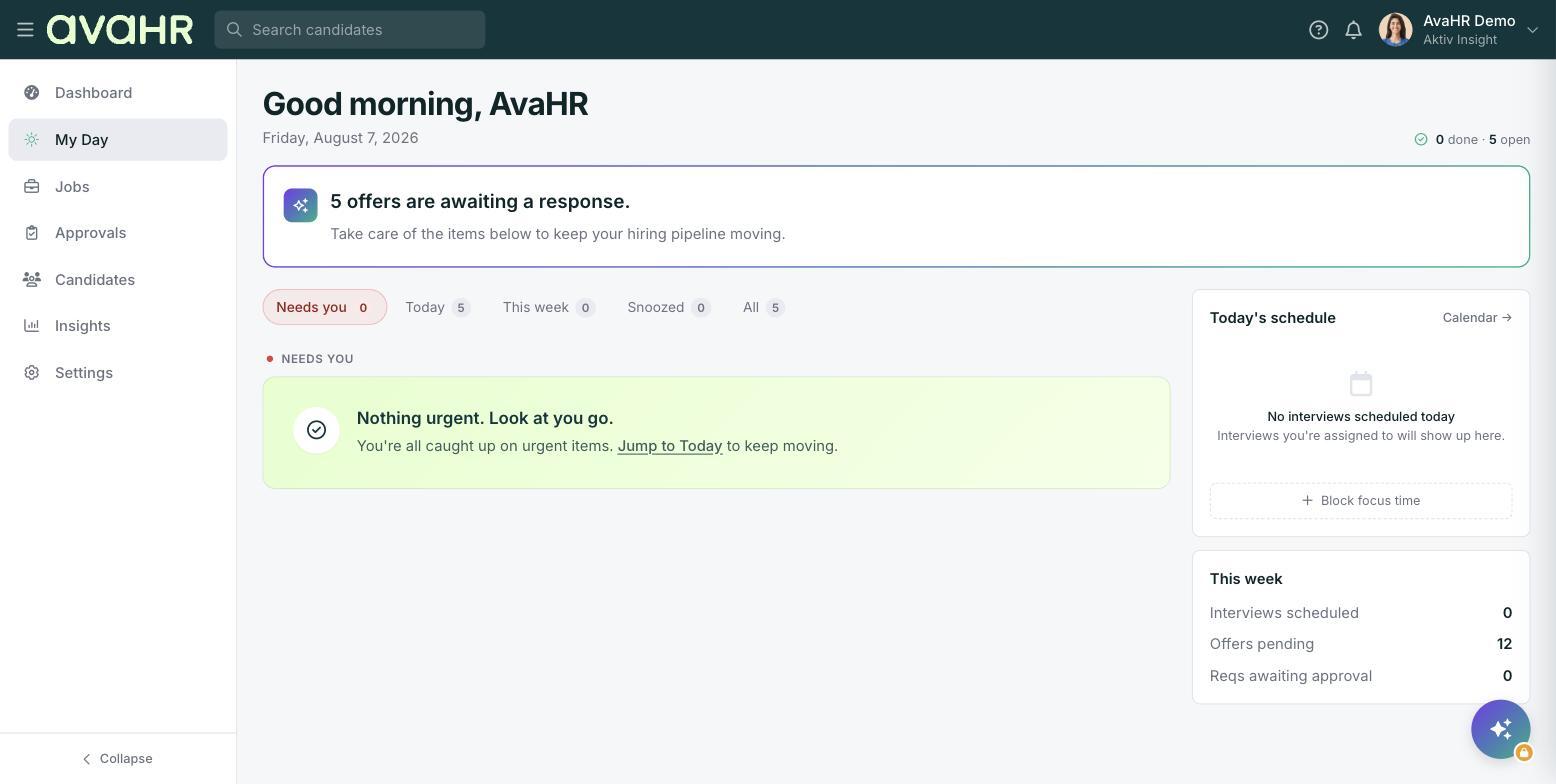
The attention banner
At the top you will see a greeting, the date, and a quick count of what is done versus open. Just below that, a banner highlights whatever needs you most right now, for example "5 offers are awaiting a response." It is a fast way to spot the most pressing item before you dig in.
The tabs
Use the tabs to focus your list:
- Needs you. The items waiting on your action.
- Today. What is due or scheduled for today.
- This week. What is coming up over the next several days.
- Snoozed. Items you set aside to handle later.
- All. Everything in one place.
When there is nothing pressing, you will get a friendly empty state like "Nothing urgent. Look at you go."
Today's schedule
The right rail shows Today's schedule with your interviews and events for the day. It includes a Calendar link so you can jump to the full view.
Block focus time
Need a stretch of uninterrupted time? Use Block focus time in the Today's schedule area to set aside part of your day for heads-down work.
This week stats
Below the schedule, the This week panel gives you a quick snapshot of where things stand:
- Interviews scheduled
- Offers pending
- Reqs awaiting approval
Tip
Start each morning on the Needs you tab. Clear those items first, then check Today's schedule so nothing sneaks up on you.