
Not every good candidate has a job to go into right away. The Talent Pool is where you keep people who are not attached to any job yet, so you can reach for them the moment a role opens up.
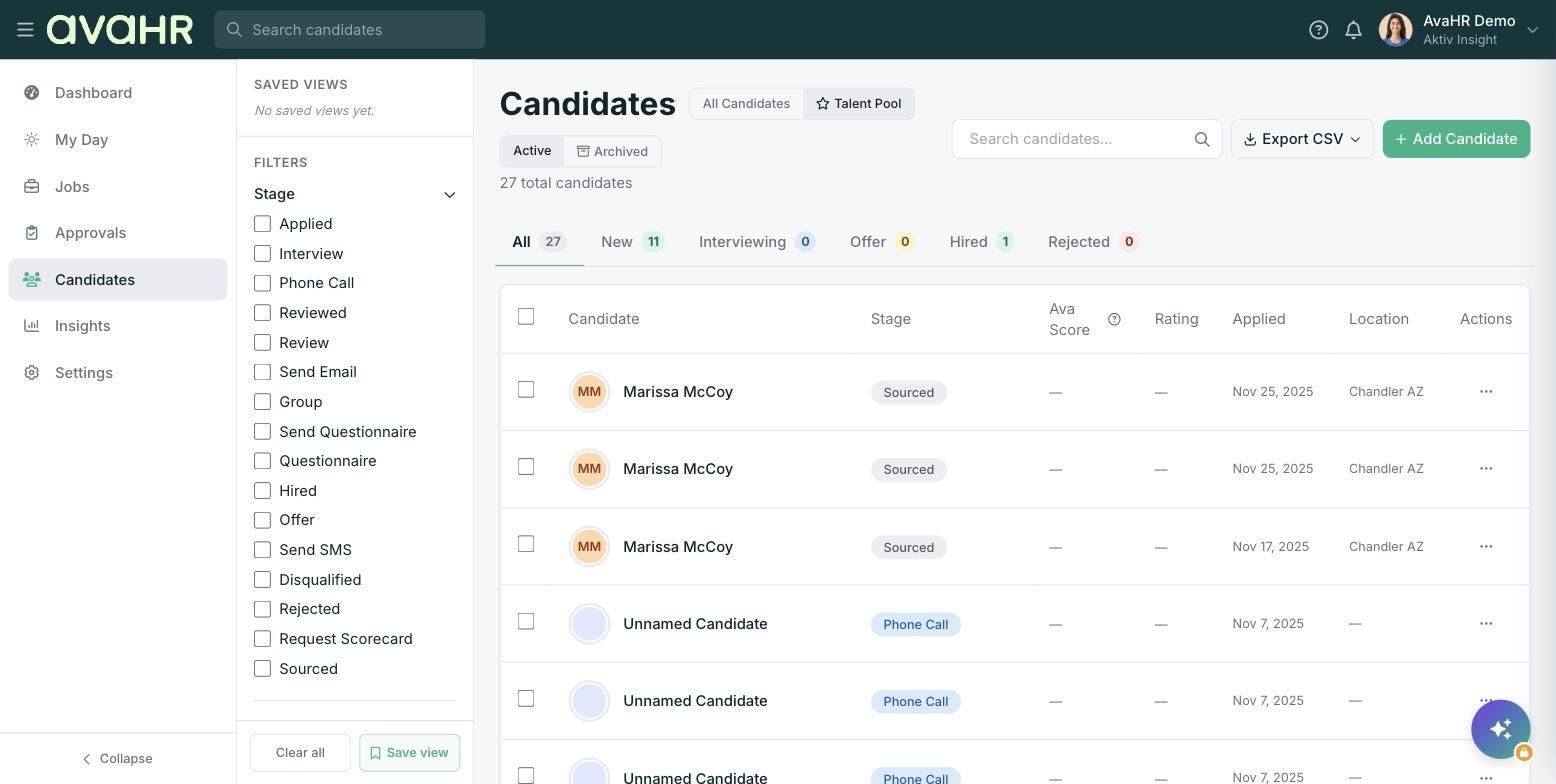
All Candidates vs Talent Pool
At the top of the Candidates page there is a toggle:
- All Candidates: everyone who is tied to a job.
- Talent Pool (marked with a star icon): candidates who are not tied to any job.
Switch to Talent Pool whenever you want to browse people you are holding onto for the future rather than for a specific opening.
Move a Talent Pool candidate into a job
When you are ready to bring someone from the Talent Pool into an active role, you have two ways to do it.
From the candidate profile:
- Open the candidate.
- Open the "..." menu.
- Choose Move to Position and pick the job.
In bulk from the list:
- Switch to Talent Pool and select one or more candidates.
- In the bottom toolbar, open More and choose Add to a job.
- Pick the job.
Either way, the candidate lands in the first stage of that job's pipeline, ready for you to move them forward.
Tip
Great person, wrong timing? Keep them in the Talent Pool so they do not get lost. When a matching role opens, you can add them to it in a couple of clicks instead of starting from scratch.