
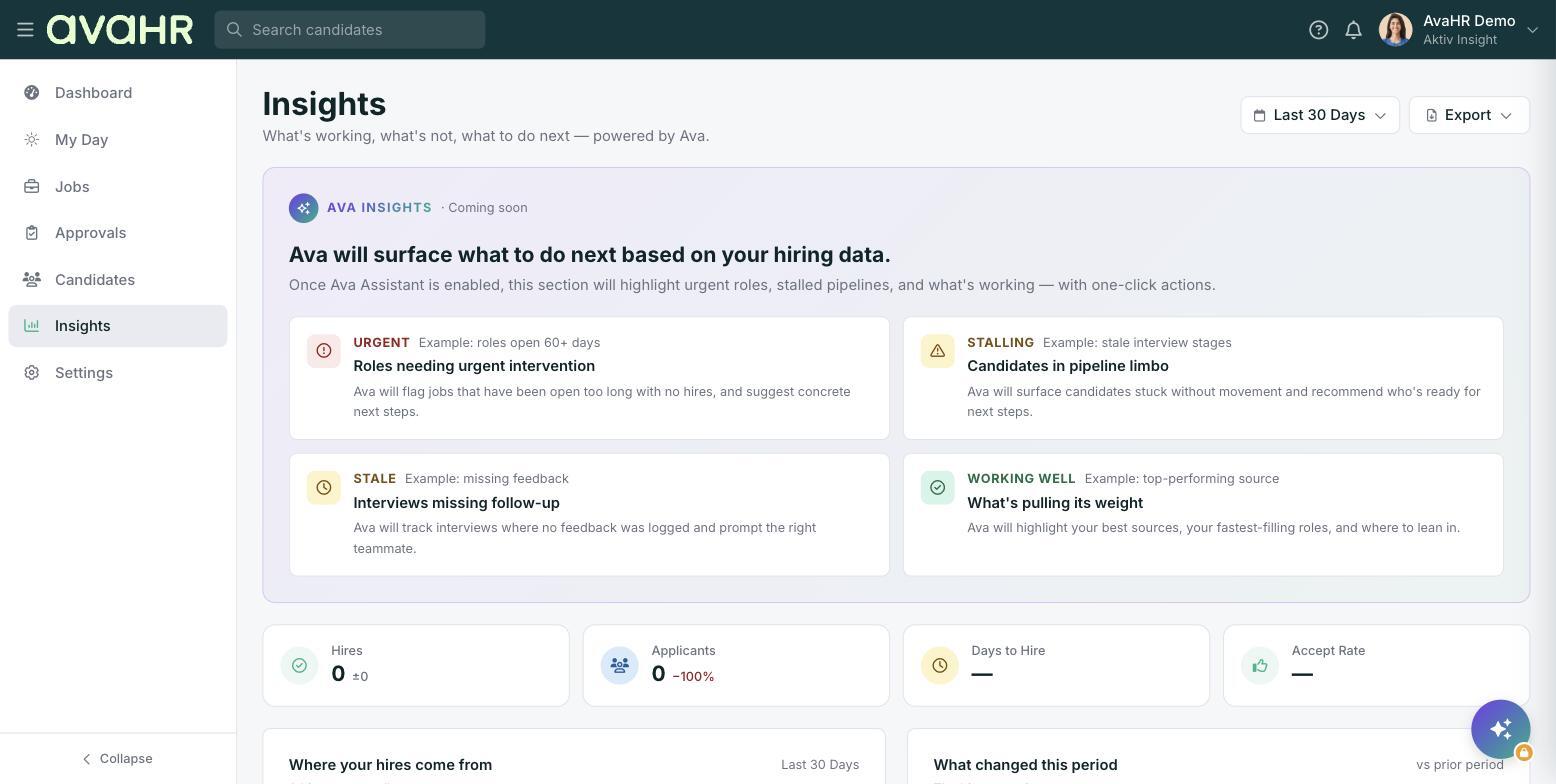
Insights shows you what is working, what is not, and what to do next, powered by Ava. It is your one place to track how your hiring is going. Open it from Insights in the left sidebar.
If you used the older separate Hiring Insights reports (Overview, Position Overview, Candidate Sources), this single page now brings all of that together.
Date range and Export
Use the date range picker at the top (for example Last 30 Days) to set the window you want to look at. Click Export to pull the data out for your own records or to share with someone.
The KPI tiles
Four tiles give you the headline numbers for the selected period:
- Hires. How many people you hired.
- Applicants. How many people applied.
- Days to Hire. How long it took to fill roles.
- Accept Rate. How often your offers were accepted.
Where your hires come from
This section breaks down which sources brought in the people you actually hired, so you can tell where to spend your effort and budget.
What changed this period
Here you will see how your numbers moved compared with the period before, so you can spot trends without doing the math yourself.
Ava Insights panel
The Ava Insights panel is marked Coming soon. It will surface things worth acting on, with example cards like Roles needing urgent intervention, Candidates in pipeline limbo, Interviews missing follow-up, and What's working well.
Tip
Change the date range before you read the tiles. Every number and section on the page reflects the window you pick, so a longer range tells a broader story and a shorter one shows recent activity.