
Posting to Indeed is free with AvaHR, but if you want more visibility you can sponsor a job. Indeed sponsorship is billed by Indeed and set up directly in your Indeed employer account, not inside AvaHR.
Before you sponsor, make sure your AvaHR jobs are showing up when you log in to Indeed. If you have not submitted the Indeed One Source Policy yet, do that first.
If you have submitted the One Source Policy and still do not see your AvaHR jobs in your Indeed account, you can contact Indeed through this form.
How to sponsor your job on Indeed
Log in to your Indeed account and select Jobs from the menu on the left. You should see your AvaHR jobs listed.
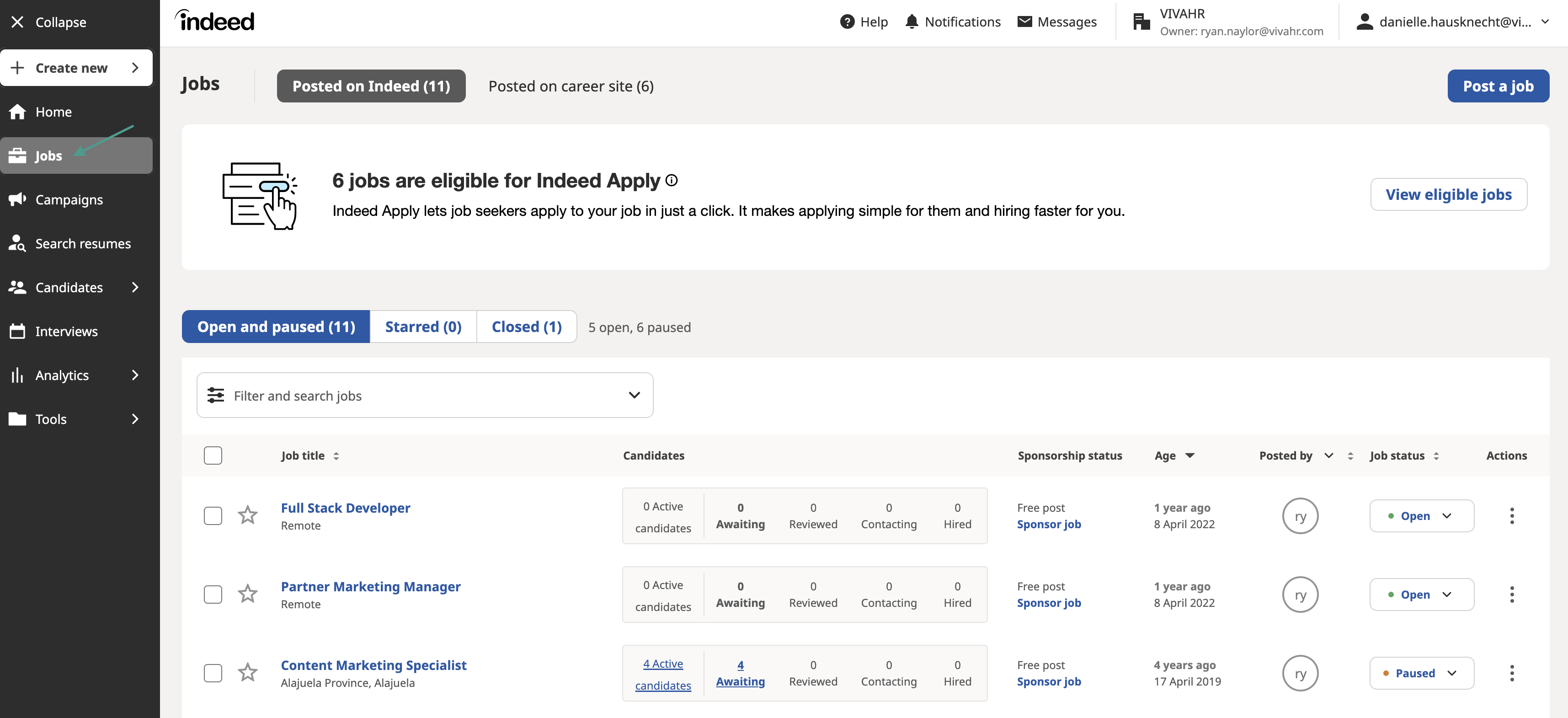
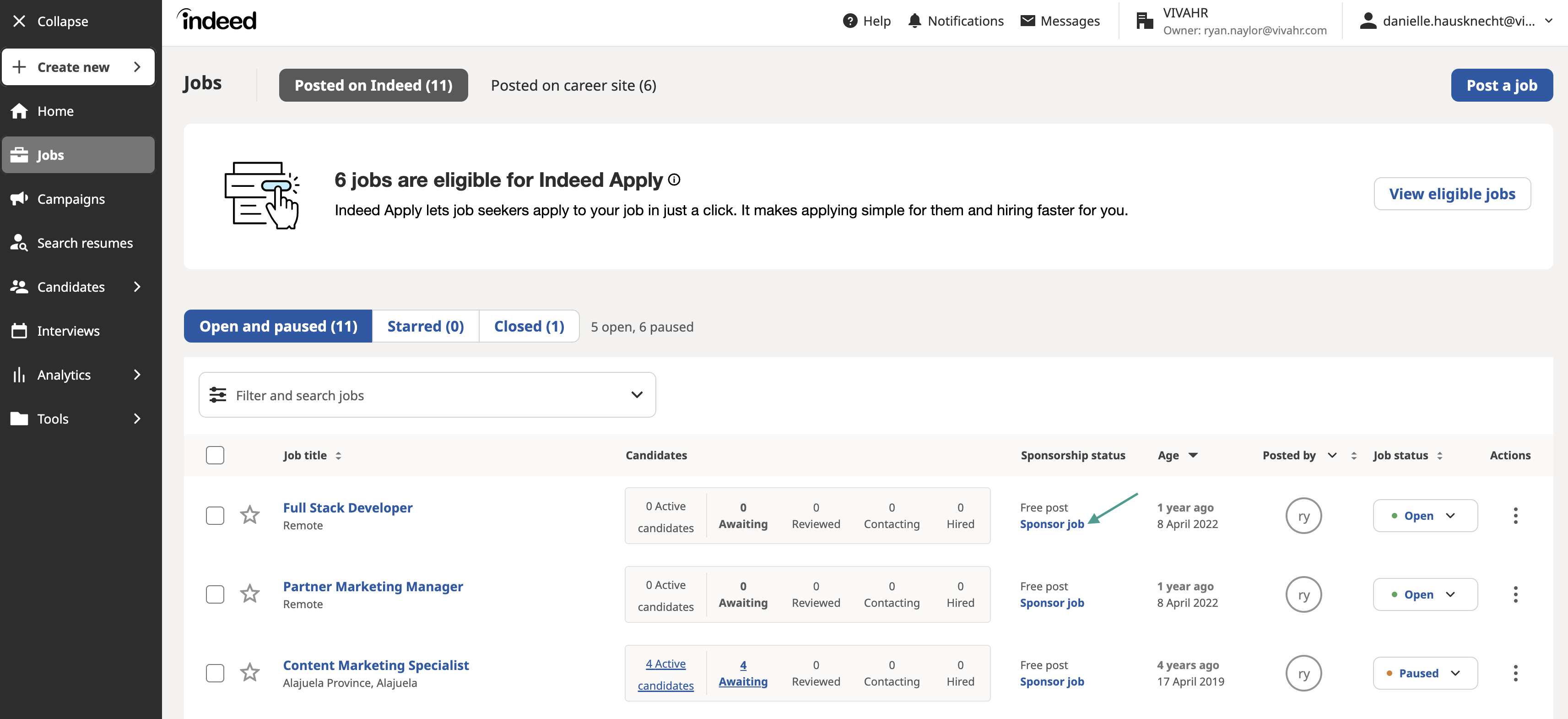
Find the job posting you would like to sponsor and click Sponsor job.
Decide how much you would like to spend to sponsor your job on Indeed. Once everything is filled in, click Confirm changes.
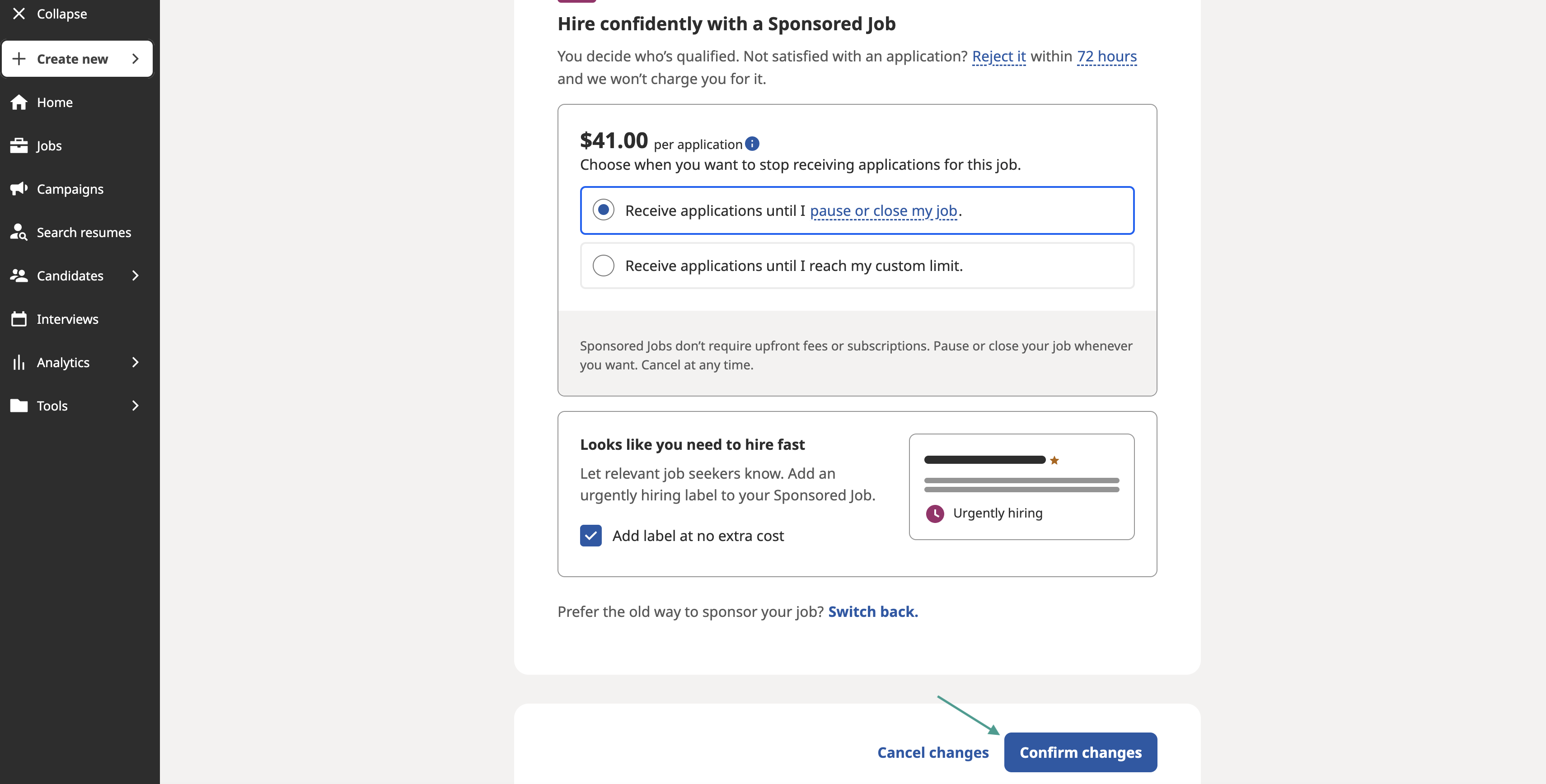
Your AvaHR job posting will now be sponsored on Indeed. Any candidates who apply through Indeed come straight into your AvaHR account.