
When you already know the role in your head and just want it live, Quick Create with Ava is the fastest way to post. Instead of stepping through the full editor, you tell Ava the essentials and it drafts the posting for you.
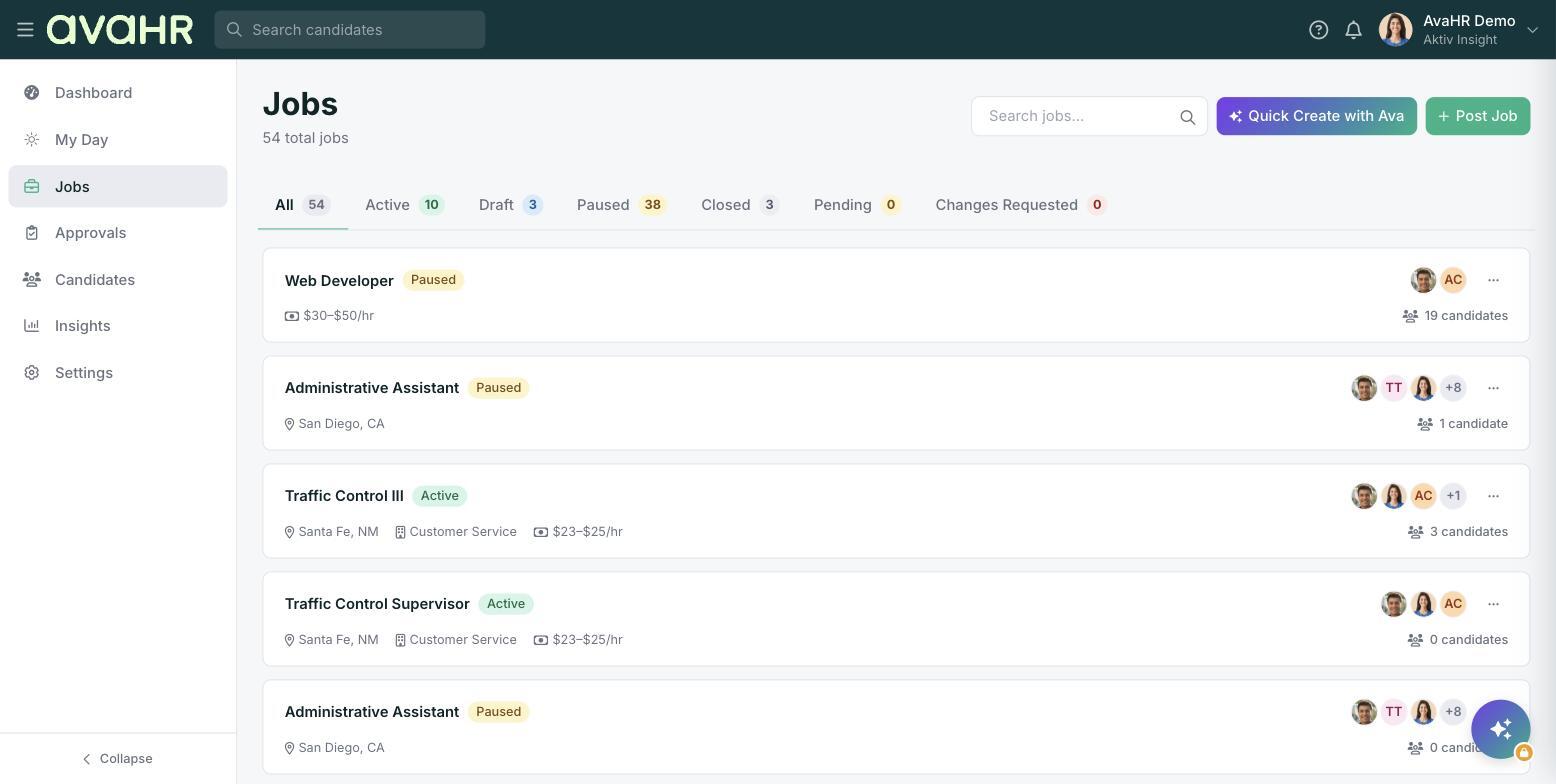
Where to find it
On the Jobs page, look at the top right for two buttons: Quick Create with Ava and Post Job. Choose Quick Create with Ava to start a job the fast, conversational way.
How it works
- From the Jobs page, click Quick Create with Ava.
- Tell Ava the essentials of the role.
- Ava drafts the posting for you to review.
- Review the draft, make any edits, and post.
For anything you do not mention, Ava uses your account defaults, so you are not forced to fill in every field just to get started.
Quick Create vs the full Post Job editor
- Quick Create with Ava: fast and conversational. Best when you want a posting live quickly and are happy to let your defaults handle the rest.
- Post Job: the full editor, with step-by-step control over job basics, description, and distribution. Best when you want to fine-tune every detail.
Tip
You can always open the draft afterward and adjust anything Ava filled in from your defaults, so a quick start does not mean giving up control.