---
title: Pipeline Triggers
description: Automate the work that happens each time a candidate enters a stage.
---
[Skip to content](https://knowledge.avahr.com/pipeline-triggers#main-content)
English
Show submenu for translations

- [Tickets](https://23869753.hs-sites.com/tickets-view)
- [Sign out](https://23869753.hs-sites.com/_hcms/mem/logout)
Open main navigation
Close main navigation
- [Tickets](https://23869753.hs-sites.com/tickets-view)
- [Sign out](https://23869753.hs-sites.com/_hcms/mem/logout)
- English
Show submenu for translations
- [Go to avahr.com](https://avahr.com/)
[Go to avahr.com](https://avahr.com/)
Hello. How can we help you?
- There are no suggestions because the search field is empty.
1. [Help Center](https://knowledge.avahr.com/?hsLang=en)
2. [Team Collaboration](https://knowledge.avahr.com/team-collaboration?hsLang=en)
# Pipeline Triggers
## Automate the work that happens each time a candidate enters a stage.
Pipeline triggers are stage automations. They fire the moment a candidate enters a stage, so the repetitive steps you would otherwise do by hand happen on their own. Think of a thank-you email when someone applies, or a request for your team's feedback once a candidate reaches the interview stage.
### What a trigger can do
Each stage can run one or more of these automations when a candidate enters it:
- **Send an email template** to the candidate. Pick a saved email template.
- **Send an SMS template** to the candidate. Pick a saved SMS template.
- **Send a questionnaire**, delivered with an email. Choose both the questionnaire and the email template that carries it.
- **Request a scorecard** from selected team members, so the people you pick are asked to rate the candidate whenever one reaches that stage.
Email and SMS automations only send when the candidate has an email address or mobile number on file.
### How to set up a trigger
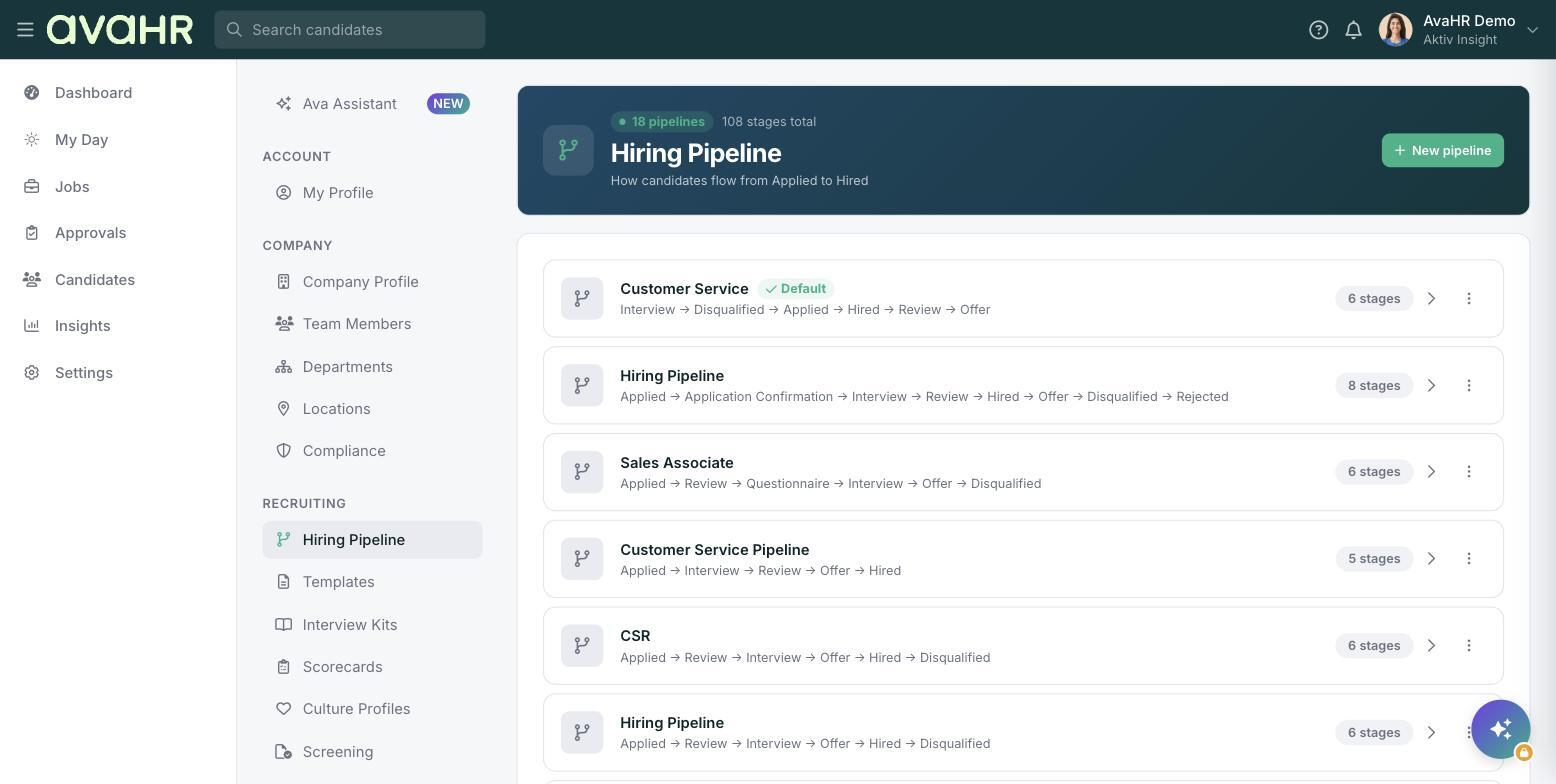
1. Go to **Settings** in the left sidebar, then open **Hiring Pipeline** under **Recruiting**.
2. Open the pipeline you want to work in, or click **New pipeline** to create one.
3. Open the stage you want to automate to reach its stage editor.
4. Add the automation you want and choose its details, such as the template, questionnaire, or team members.
5. Save the stage.
### When triggers run
A trigger fires as soon as a candidate lands in that stage, whether you move them there from their profile, from the Workspace panel, or in bulk from the candidates list. Set the automation once, and it runs for every candidate who reaches the stage from then on.
### Related articles
- [Creating a Hiring Pipeline](https://knowledge.avahr.com/creating-a-pipeline?hsLang=en)
- [Adding a Scorecard](https://knowledge.avahr.com/adding-a-scorecard?hsLang=en)
- [Getting Started](https://knowledge.avahr.com/getting-started?hsLang=en)
- [Frequently Asked Questions](https://knowledge.avahr.com/frequently-asked-questions?hsLang=en)
- [Policies](https://knowledge.avahr.com/policies?hsLang=en)
- [Account Settings](https://knowledge.avahr.com/account-settings?hsLang=en)
- [Managing Candidates](https://knowledge.avahr.com/managing-candidates?hsLang=en#main-content)
- [Offers](https://knowledge.avahr.com/managing-candidates?hsLang=en#offers)
- [Manage Job Postings](https://knowledge.avahr.com/manage-job-postings?hsLang=en)
- [Team Collaboration](https://knowledge.avahr.com/team-collaboration?hsLang=en)
- [Insights](https://knowledge.avahr.com/insights?hsLang=en)
- [Integrations & Partners](https://knowledge.avahr.com/integrations-partners?hsLang=en)
- [WordPress Plugin](https://knowledge.avahr.com/wordpress-plugin?hsLang=en)
- [Messaging](https://knowledge.avahr.com/messaging?hsLang=en#main-content)
- [Templates](https://knowledge.avahr.com/messaging?hsLang=en#templates)
- [Recruiting](https://knowledge.avahr.com/recruiting?hsLang=en#main-content)
- [Screening](https://knowledge.avahr.com/recruiting?hsLang=en#screening)
[.png?width=117&height=24&name=AVA%20HR%20Logo%20(4).png "Chill listening crop-3")](http://vivahr.com)
Help Center
[mailto:email@email.com](mailto:email@email.com)
Copyright © 2026, AvaHR