
Need the big-picture summary of your hiring, plus a way to take it with you? That's the whole Insights page. It gives you a view of the roles you're hiring for, how candidates are moving, and which channels bring in the best applicants, all in one place instead of a separate Overview Report.
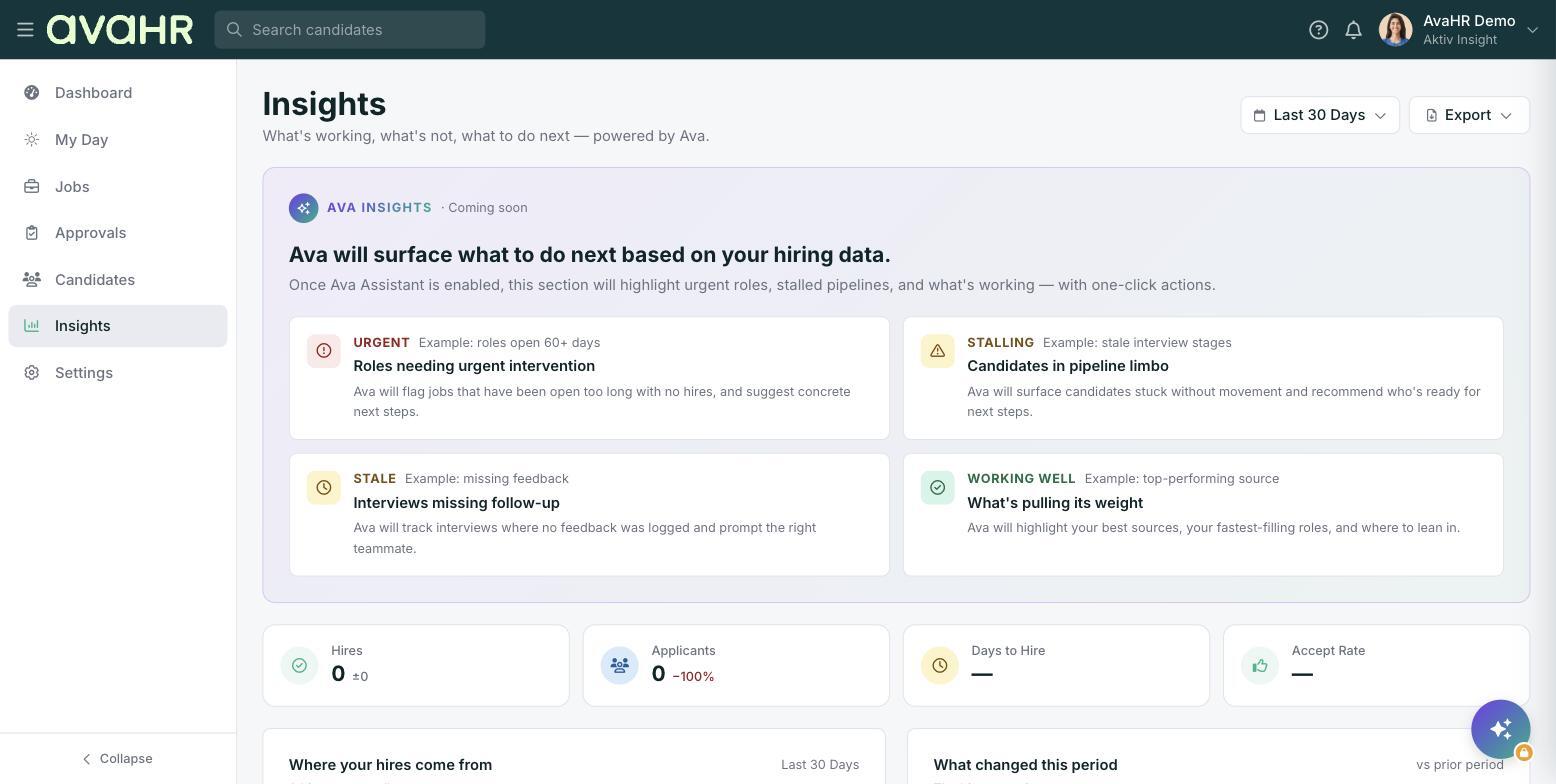
To open it, select Insights from the menu on the left.
Date range and export
Start at the top of the page. The date range picker (it opens on Last 30 Days) sets the window for everything below it, and the Export button pulls the summary out so you can save or share it.
Your at-a-glance summary
The KPI tiles give you the headline numbers for the period you chose:
- Hires: how many people you hired.
- Applicants: how many people applied.
- Days to Hire: the typical time to fill a role.
- Accept Rate: how often your offers are accepted.
The story behind the numbers
Where your hires come from shows which channels are producing hires, so you can see which sources are worth your spend. What changed this period summarizes the movement since your last window, so a quick scan tells you whether things are trending up or down.
Ava Insights
An Ava Insights panel, marked Coming soon, will add a smarter summary layer on top, flagging roles that need attention, candidates stuck in the pipeline, interviews missing follow-up, and what's working well. It's a preview of where this page is headed.