---
title: How to Update Your Password
description: Change your password from your profile, or reset a teammate's if you're the owner.
---
[Skip to content](https://knowledge.avahr.com/how-to-update-your-password#main-content)
English
Show submenu for translations

- [Tickets](https://23869753.hs-sites.com/tickets-view)
- [Sign out](https://23869753.hs-sites.com/_hcms/mem/logout)
Open main navigation
Close main navigation
- [Tickets](https://23869753.hs-sites.com/tickets-view)
- [Sign out](https://23869753.hs-sites.com/_hcms/mem/logout)
- English
Show submenu for translations
- [Go to avahr.com](https://avahr.com/)
[Go to avahr.com](https://avahr.com/)
Hello. How can we help you?
- There are no suggestions because the search field is empty.
1. [Help Center](https://knowledge.avahr.com/?hsLang=en)
2. [Account Settings](https://knowledge.avahr.com/account-settings?hsLang=en)
# How to Update Your Password
## Change your password from your profile, or reset a teammate's if you're the owner.
You can update your password from your account settings.
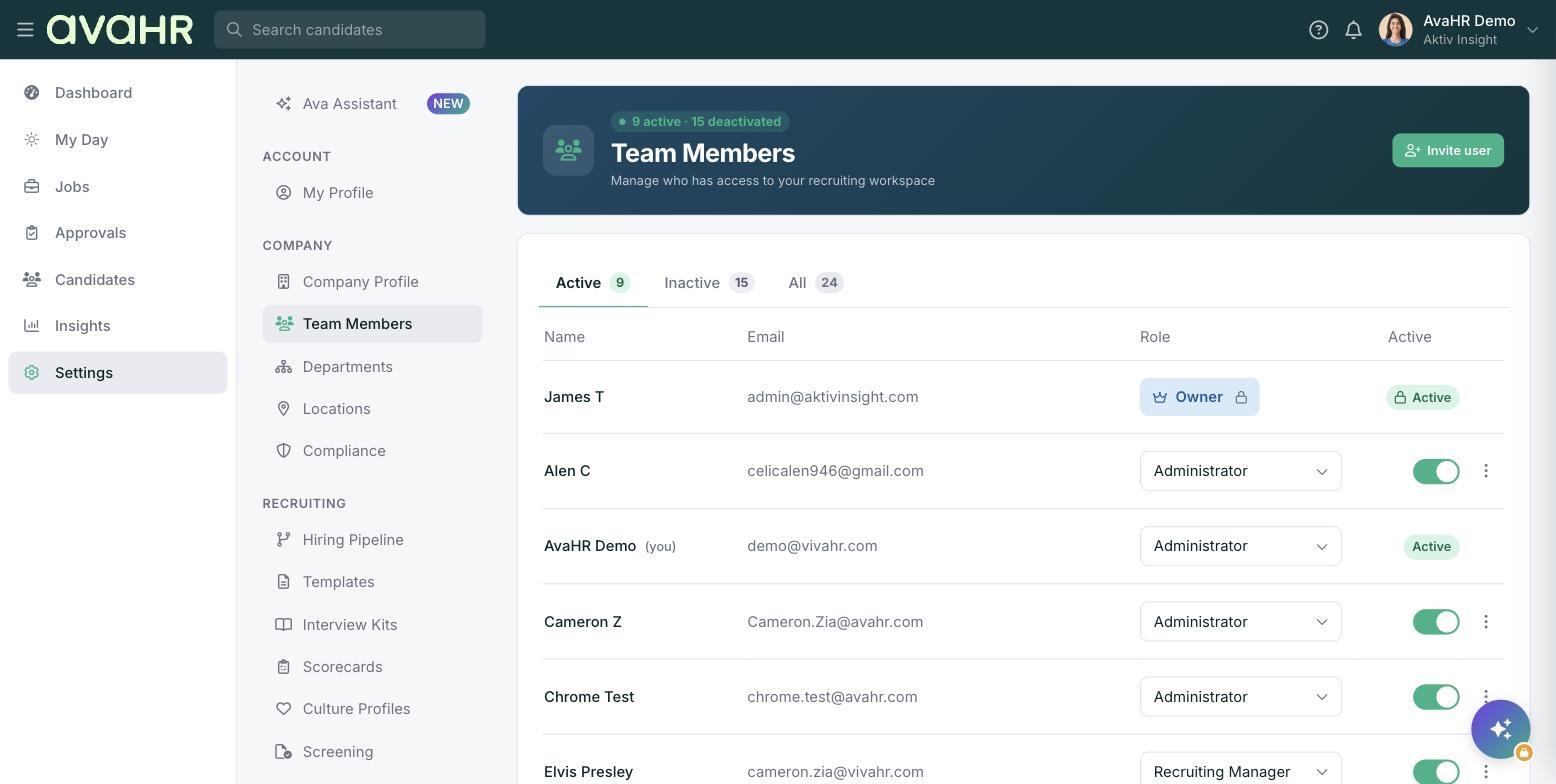
**Note:** Unless you are the account owner, you can only edit your own password. To update the password for another team member, you'll need to be logged in as the account owner.
### Update your own password
Select **Settings** from the menu on the left, open **My Profile**, and go to the **Password & security** tab.
Enter a new password in the space provided, then click **Save**. You can now log in with your updated password.
### Update a team member's password
As the account owner, go to **Settings \> Team Members** and open the team member you want to update. Enter a new password for them and save.
If you would like to send the new password to the team member, check the box that says **Email to user**. They will receive an email with the updated password they can use to log in.
- [Getting Started](https://knowledge.avahr.com/getting-started?hsLang=en)
- [Frequently Asked Questions](https://knowledge.avahr.com/frequently-asked-questions?hsLang=en)
- [Policies](https://knowledge.avahr.com/policies?hsLang=en)
- [Account Settings](https://knowledge.avahr.com/account-settings?hsLang=en)
- [Managing Candidates](https://knowledge.avahr.com/managing-candidates?hsLang=en#main-content)
- [Offers](https://knowledge.avahr.com/managing-candidates?hsLang=en#offers)
- [Manage Job Postings](https://knowledge.avahr.com/manage-job-postings?hsLang=en)
- [Team Collaboration](https://knowledge.avahr.com/team-collaboration?hsLang=en)
- [Insights](https://knowledge.avahr.com/insights?hsLang=en)
- [Integrations & Partners](https://knowledge.avahr.com/integrations-partners?hsLang=en)
- [WordPress Plugin](https://knowledge.avahr.com/wordpress-plugin?hsLang=en)
- [Messaging](https://knowledge.avahr.com/messaging?hsLang=en#main-content)
- [Templates](https://knowledge.avahr.com/messaging?hsLang=en#templates)
- [Recruiting](https://knowledge.avahr.com/recruiting?hsLang=en#main-content)
- [Screening](https://knowledge.avahr.com/recruiting?hsLang=en#screening)
[.png?width=117&height=24&name=AVA%20HR%20Logo%20(4).png "Chill listening crop-3")](http://vivahr.com)
Help Center
[mailto:email@email.com](mailto:email@email.com)
Copyright © 2026, AvaHR