
When canceling your account, you have three options: Cancel Subscription, Hibernate Subscription, or switch to a Data Storage Plan.
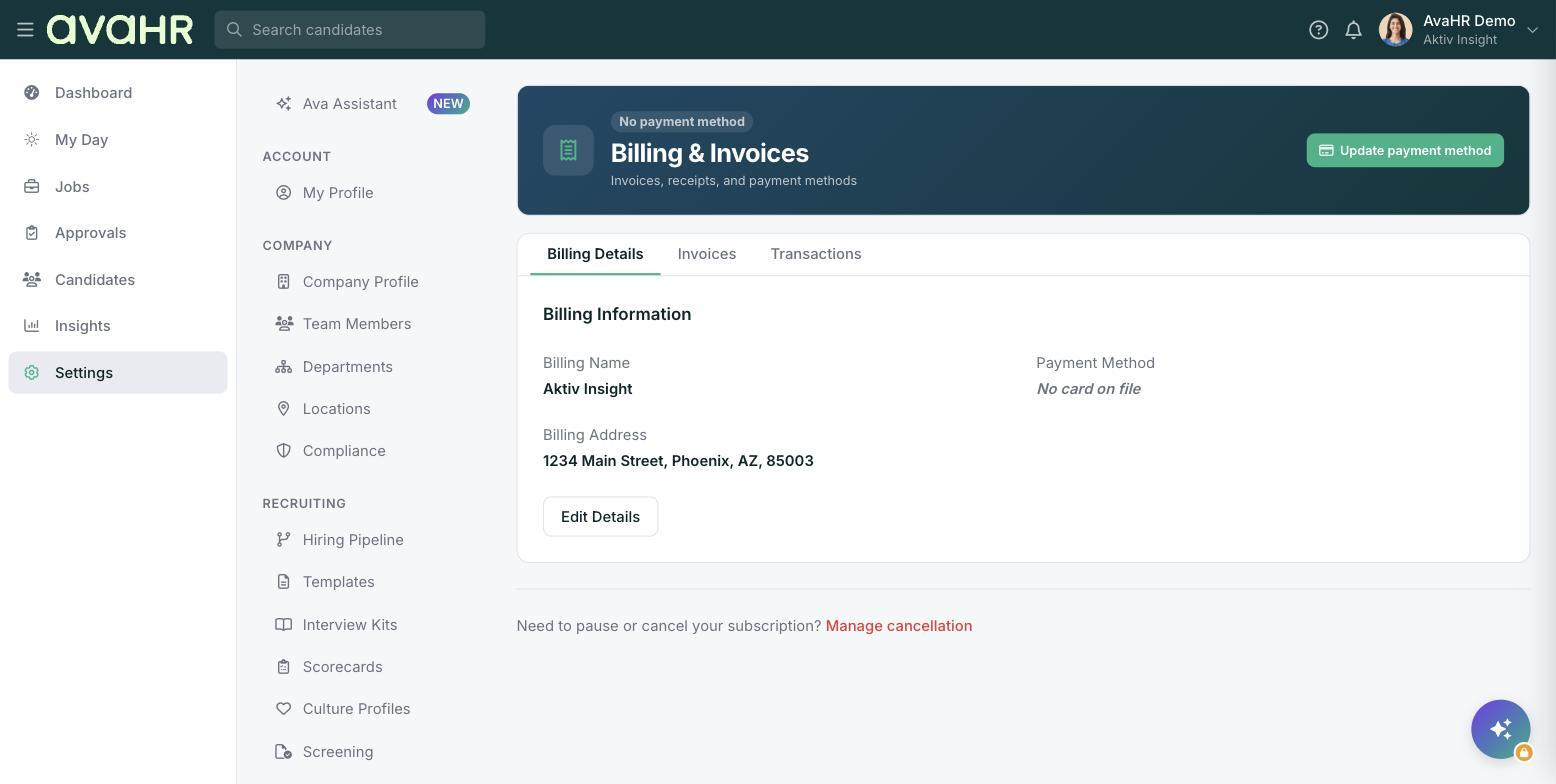
Open your cancellation options
- Log in to your dashboard.
- Go to Settings > Billing.
- Under Billing Details, find Need to pause or cancel your subscription? and click Manage cancellation.
- Choose one of the three options: Cancel Subscription, Hibernate Subscription, or switch to a Data Storage Plan.
Here is what each option does:
- Cancel Subscription: 30 days after the subscription expires, your company's data, candidates, and jobs will be permanently deleted.
- Hibernate Subscription: This temporarily pauses payments for 30, 60, or 90 days while preserving the account data. The subscription will automatically renew once the hibernation period has ended.
- Data Storage Plan: The price for the Data Storage plan is $7 a month. You will not be able to post any jobs, manage candidates, or use integrations while on this plan, but all data will be preserved and accessible.
Note: Canceling your subscription will end your current subscription to AvaHR, regardless of any time remaining on your subscription. We are not able to provide refunds for the time remaining on the account.
To cancel your subscription
- Select Cancel Subscription.
- Check the box that says Please acknowledge the following.
- Click Cancel Subscription.
After that, you'll be prompted to share your cancellation reason. Answer the 3 questions, then click Cancel Subscription.
To hibernate your subscription
- Select Hibernate subscription.
- Select the date you would like your subscription to reactivate.
- Check the box that says Please acknowledge the following.
- Click Hibernate.
To switch to the data storage plan
- Select Data Storage Plan.
- Check the box that says Please acknowledge the following.
- Click Data Storage Plan.