
Jobs change, and typos happen. You can edit any job after it is posted, whether it is a draft or already live.
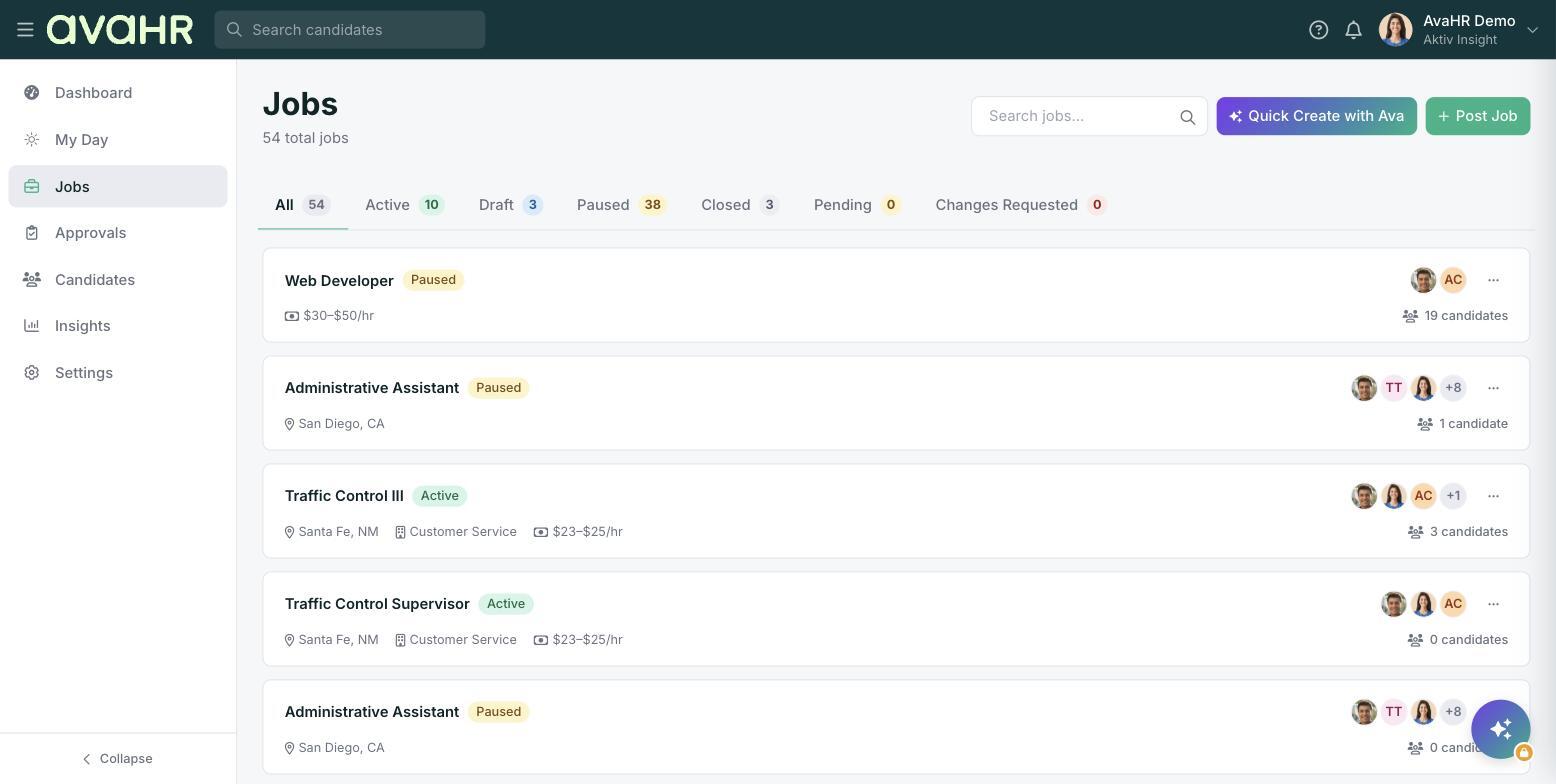
Open a job for editing
- In the left sidebar, click Jobs.
- Find the job you want to change. The status tabs (All, Active, Draft, Paused, Closed, Pending, Changes Requested) can help you narrow the list.
- Open the job's three-dot menu on the right and click Edit.
Make your changes
The job opens in the same editor you used to create it. Move through the steps and update anything you need:
- Step 1: Job basics for title, visibility, location, salary, pipeline, and the application fields.
- Step 2: Description for the job body, culture profile, and screening questionnaire.
- Step 3: Distribution for free boards and boosts.
Save your changes when you are done so they take effect. If the role requires sign-off, your update may go through Submit for Approval.
Tip
Changes can take up to 48 hours to refresh across all the external job boards, even though they update in AvaHR right away.