
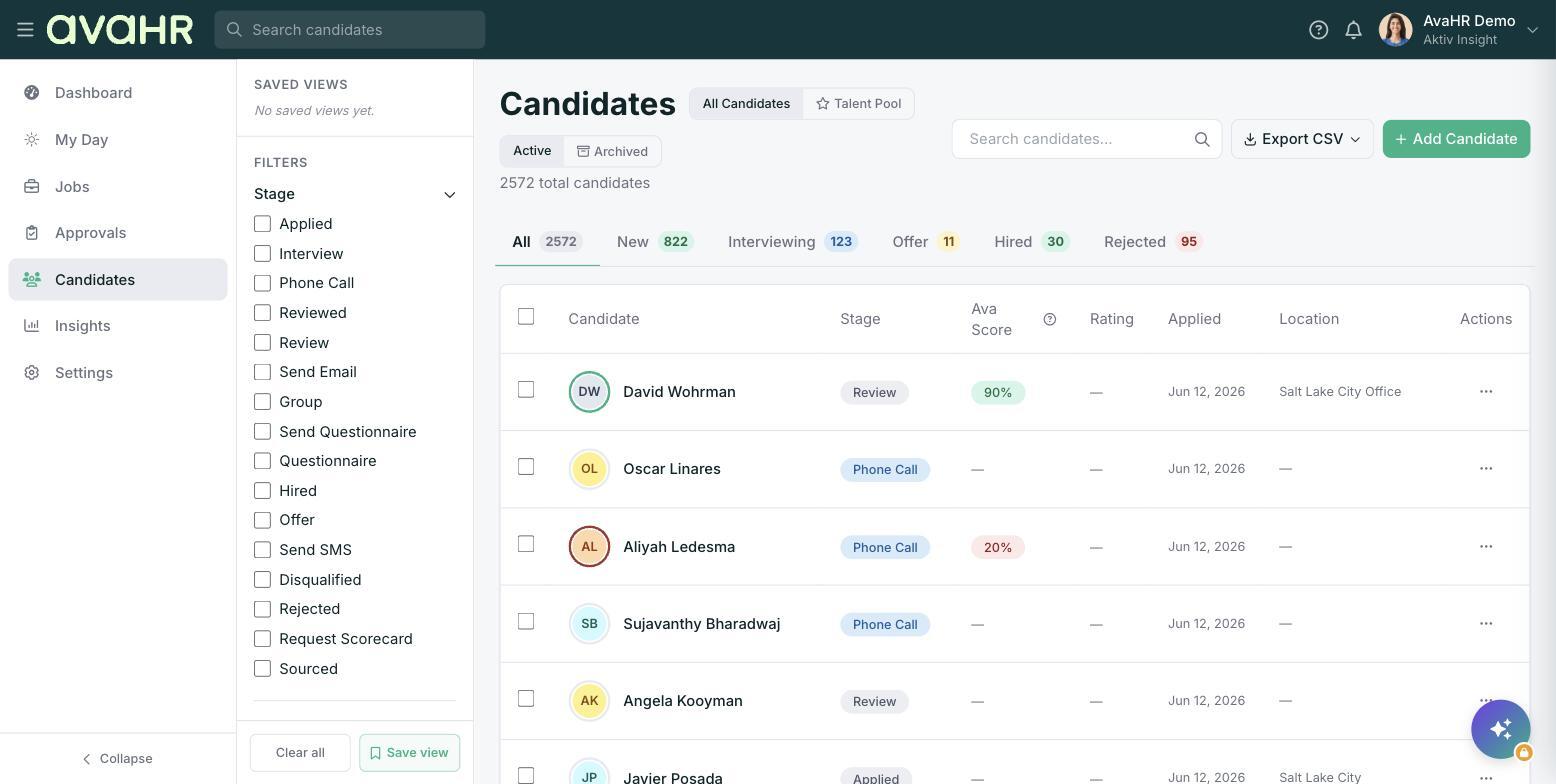
The Candidates page is where you manage everyone in one place. Select Candidates from the left sidebar to open it. The header shows your total candidate count.
All Candidates vs. Talent Pool
Use the toggle at the top to switch between All Candidates (people who applied to a job) and your Talent Pool (candidates not tied to any job). You can move a Talent Pool candidate into a job later with "Add to a job" or "Move to Position".
Active vs. Archived
Switch between Active and Archived to focus on current candidates or look back at ones you have set aside.
Status tabs
The status tabs, each with a count, filter the list fast: All, New, Interviewing, Offer, Hired, and Rejected.
Filters, search, and saved views
The left sidebar has Filters for Stage, Source, and Location, with Clear all to reset. Use the Search candidates... box to find someone by name. Save a filter combination as a Saved View so you can return to it in one click.
Ava Score
The Ava Score column shows how well each candidate fits the job they applied to, as a colored percentage (and as the ring around their avatar). It is Ava's match confidence based on skills, experience, and culture alignment, a second opinion to help you prioritize, not an automatic decision. A candidate with no score yet shows a dash.
Bulk actions
Tick the checkboxes next to candidates to open the toolbar at the bottom. From there you can Move stage, Email everyone selected at once, Tag, Export, or open More for Add Note, Add to a job, Disqualify, and Delete.
Add a candidate
Click Add Candidate to enter someone manually, then pick the job and stage they should land in.