
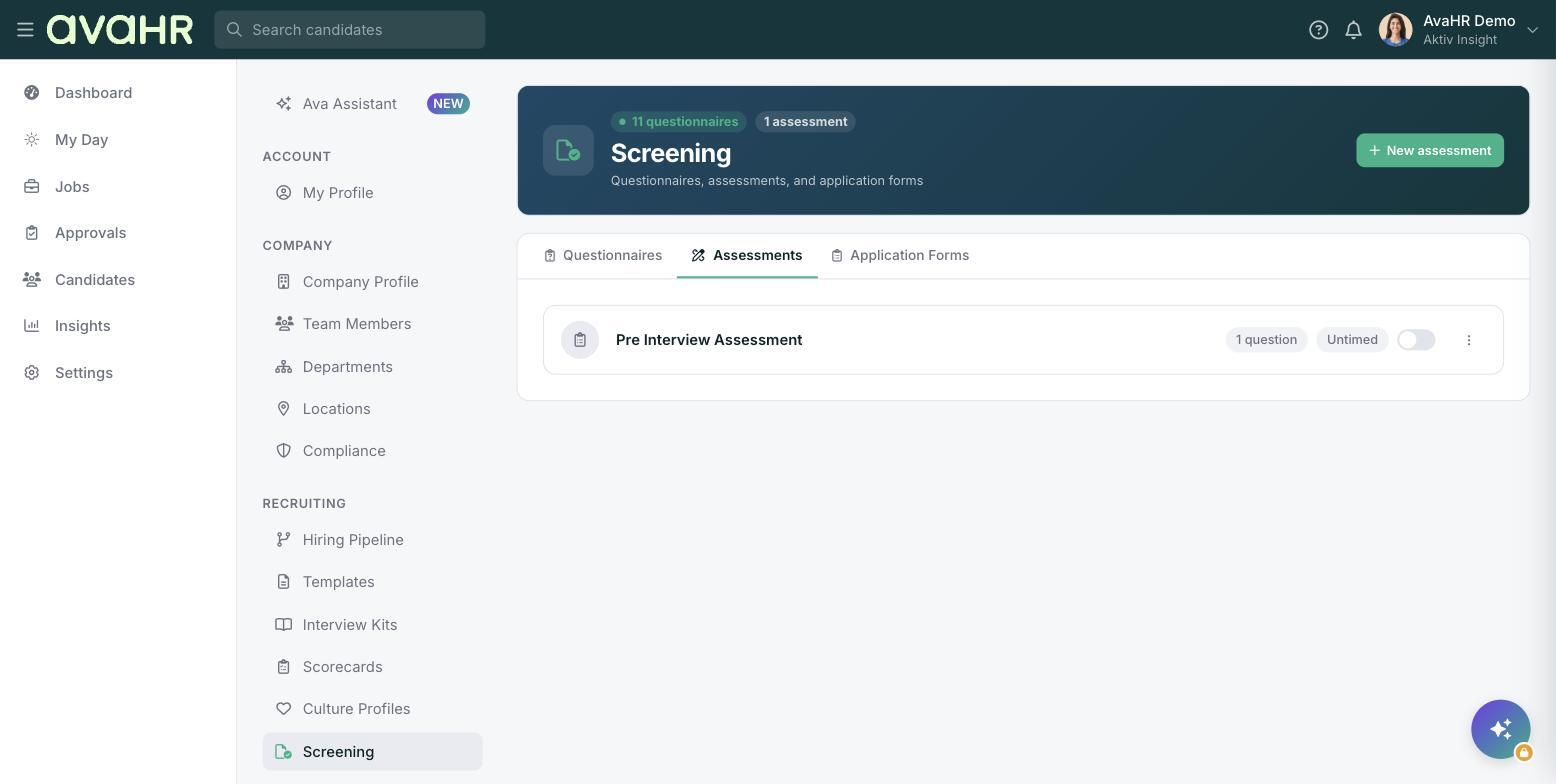
An assessment is a graded skills test. Answers are scored right or wrong automatically, so you get a clear score that tells you how well a candidate did on the skills that matter for the role. You will find assessments under Settings > Screening on the Assessments tab.
How it differs from a questionnaire
Assessments and questionnaires are separate tools, and they live on separate tabs of the Screening page:
- An assessment is scored right or wrong to measure a skill.
- A questionnaire gathers information from a candidate and can automatically disqualify someone based on their answers, but it is not scored for correctness.
Create an assessment
- Go to Settings > Screening and open the Assessments tab.
- Click New assessment.
- Add your questions and set the correct answers so they can be scored automatically.
- Choose whether it is Timed or Untimed.
- Turn the Active toggle on when it is ready to send.
Each assessment row shows its question count and whether it is Timed or Untimed, along with the Active toggle.
Send an assessment
Send an assessment to a candidate when you want to check a specific skill. Once they complete it, the answers are graded automatically.
See the score
The candidate's score appears on their Evaluations tab, alongside your other evaluations and feedback, so you can factor it into your decision.
Tip
Use Timed when speed is part of the skill and Untimed when you care more about accuracy than how fast someone works.